


How to Implement SMART Embedded for SATA & PCIe NVMe SSD?
This application note provides instructions to use SP SMART Embedded utility program to integrate with customer's program to get SMART information for SP Industrial SATA & PCIe NVMe SSD.
Support Environment
- OS : Windows 10 and Linux
- SP SMART Embedded utility program : smartctl 7.2
- Host : Intel x86 Platform
Support List for SP Industrial SSD
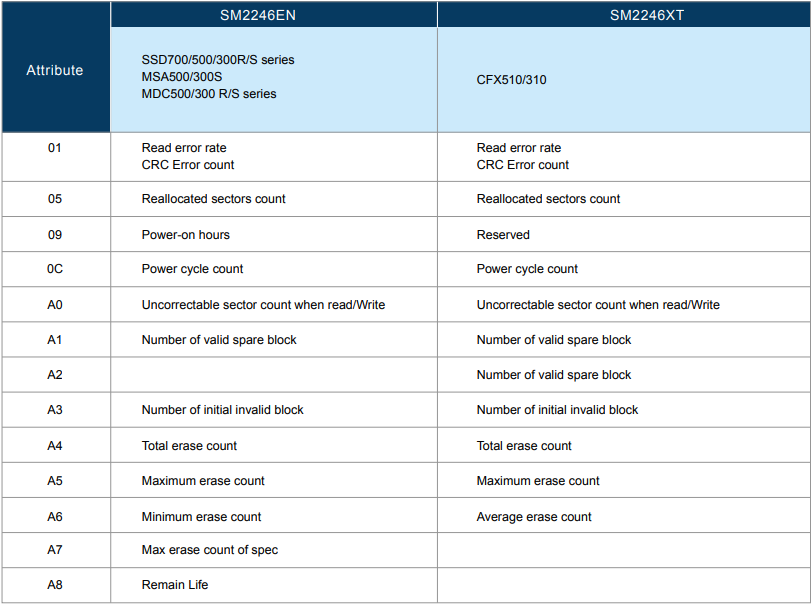
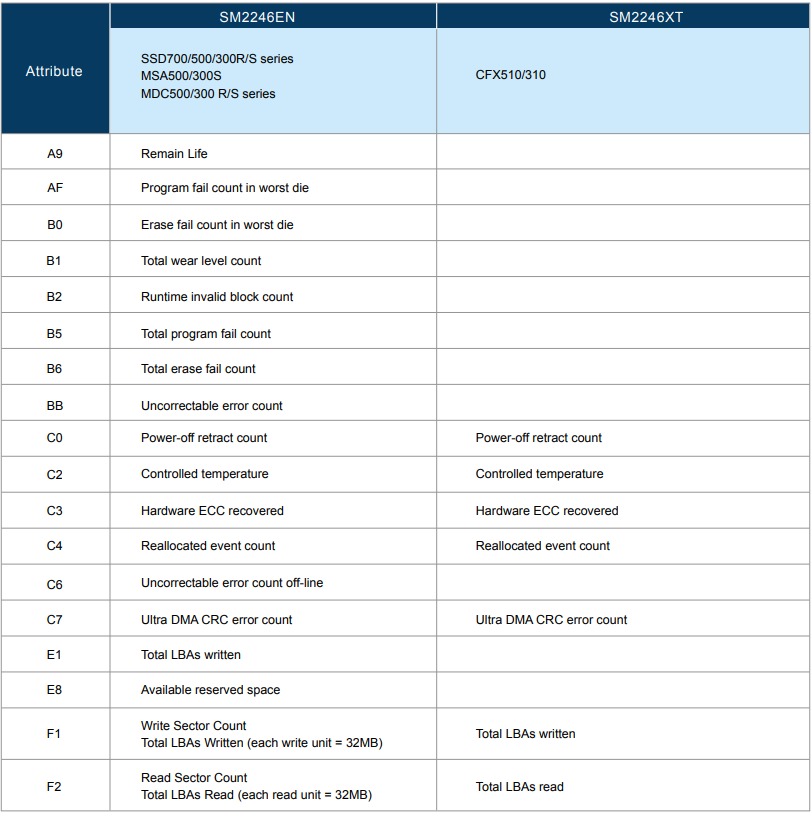
- SATA SSD & Cfast (MLC) : SSD700/500/300, MSA500/300, MDC500/300, CFX510/310
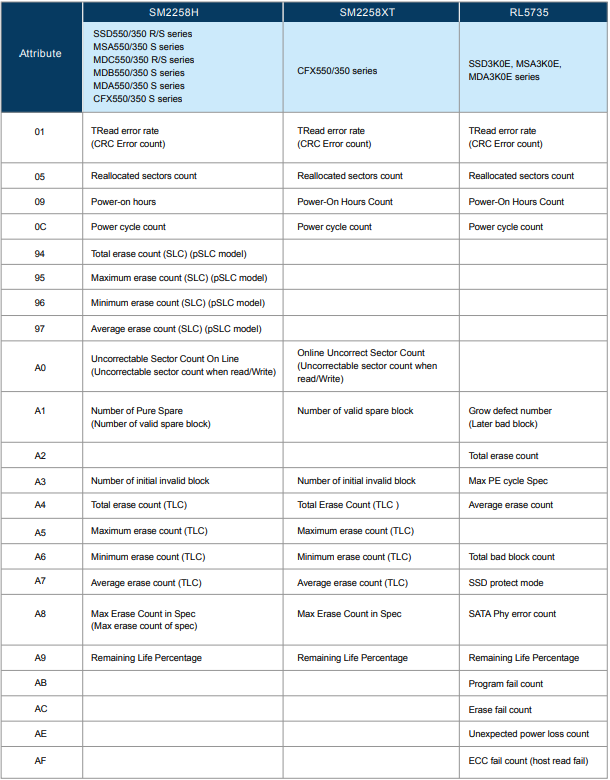
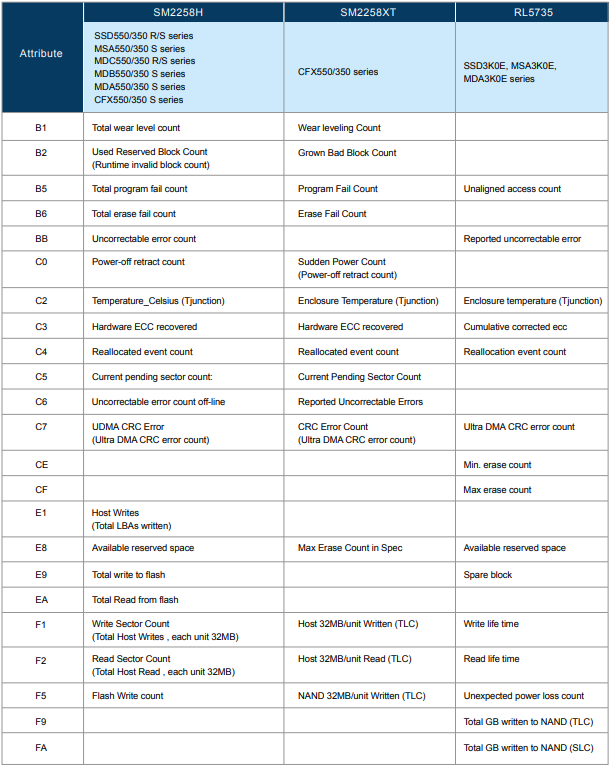
- SATA SSD & CFast (3D TLC) : SSD550/350/3K0, MSA550/350/3K0, MDC550/350, MDB550/350, MDA550/350/3K0 series, CFX550/350
- PCIe NVMe : MEC350, MEC3F0, MEC3K0 series
SMART Attribute
- SATA SSD & Cfast (MLC)
- SATA SSD & Cfast (3D TLC)
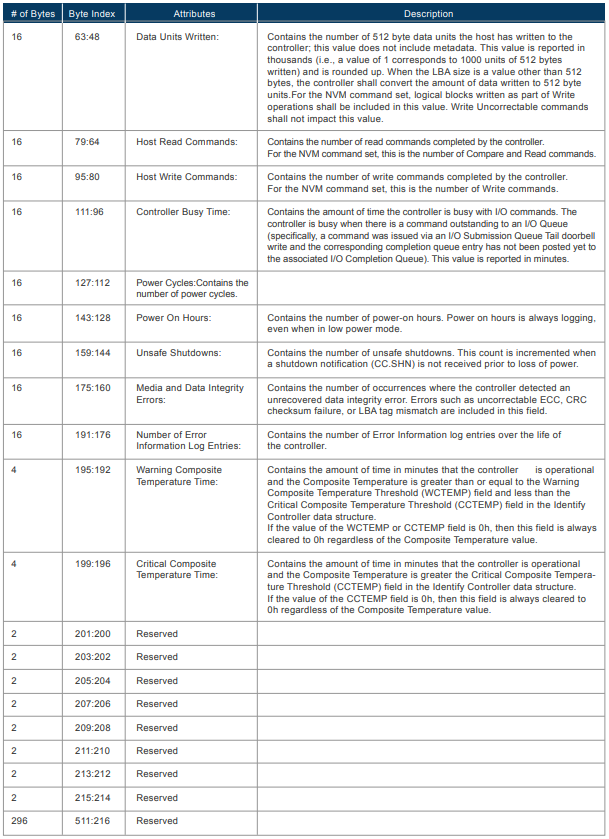
- PCIe NVMe SSD (NVMe 1.3)
Installation
- Please download the latest version of SMART Embedded utility program. (Download link by request)
- Unzip (In this case, unzip to E:\smartmontools-7.2.win32 folder)
- Run Command Prompt
- Run as Administrator
- C:\WINDOWS\system32> E:\smartmontools-7.2.win32\bin\smartctl.exe -h
- To get a usage summary
Command line tool to get SMART information (sdb : disk on PhysicalDrive 1)
- C:\WINDOWS\system32> E:\smartmontools-7.2.win32\bin\smartct.exe -a /dev/sdb
- Check the attached file SMART.TXT : https://www.silicon-power.com/support/lang/utf8/smart.txt
Output SMART information into JSON format. (sdb : disk on PhysicalDrive 1)
- C:\WINDOWS\system32> E:\smartmontools-7.2.win32\bin\smartctl.exe -a -j /dev/sdb
- Check the attached file JSON.TXT : https://www.silicon-power.com/support/lang/utf8/json.txt
Used Case 1: Remote monitoring SMART Dashboard via IBM Node-Red
- Install IBM Node Red, Node Red is a flow-based programming tool developed by IBM. We use Node Red to integrate SP
- SMART Embedded utility program to develop a remote monitoring tool " SP SMART Dashboard".
- Develop Script for Node Red and using " smartctl.exe"
- Script file as the attached SMARTDASHBOARD.TXT : https://www.silicon-power.com/support/lang/utf8/SMARTDASHBOARD.txt
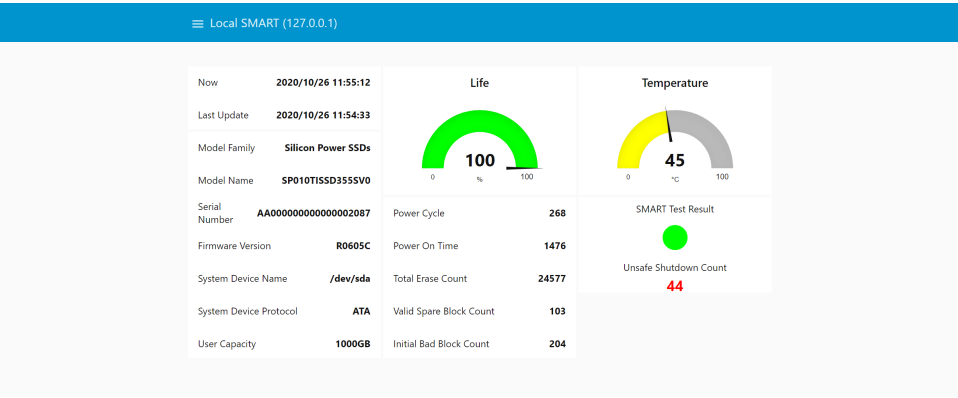
- Open Browser, input "ip:1880/ui"
- ip is the IP address of machine which is running Node Red script. Defaul ip of local machine is 127.0.0.1
Figure 1 SMART Dashboard
*Used case 2: Integration with Google Cloud Platform to manage SMART information of connected devices in the field
SP Industrial leverages Google Cloud Platform and SP SMART Embedded to develop a SMART IoT
Sphere service platform. SP SMART IoT Sphere is a cloud-based service with alarm and maintenance notifications that monitors and analyzes the health and status of SP Industrial SSDs and Flash cards inside connected devices running Windows OS or Linux Ubuntu embedded OS.
Figure 2 Architecture of SMART IoT Sphere
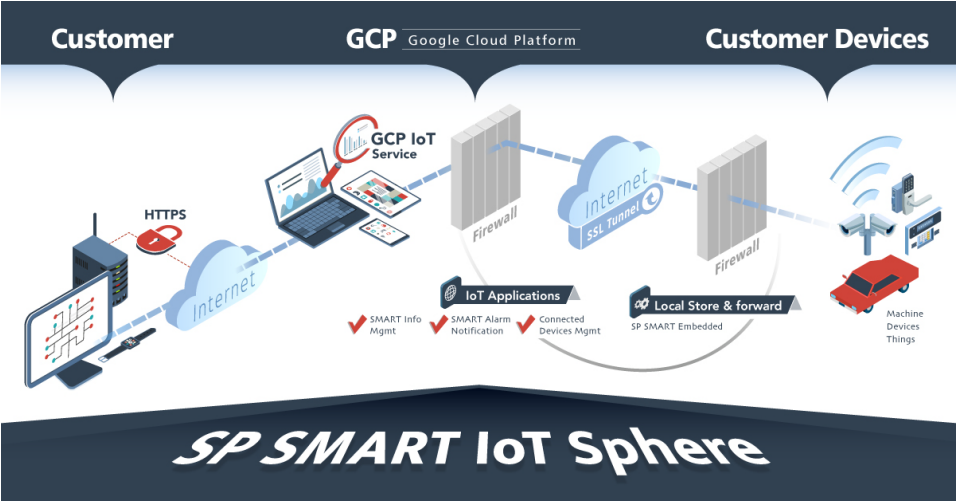
Figure 3 Multiple Devices management
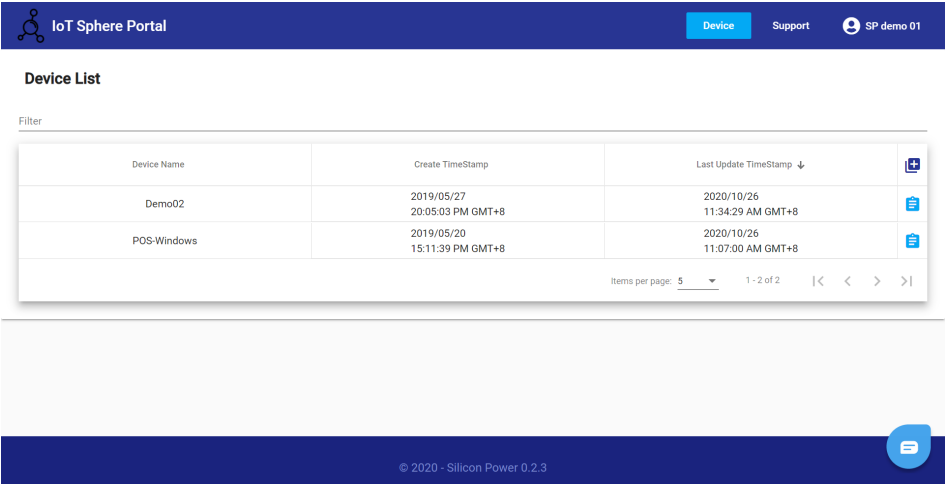
Figure 4 SP SMART Embedded supports both Windows 10 and Linux OS
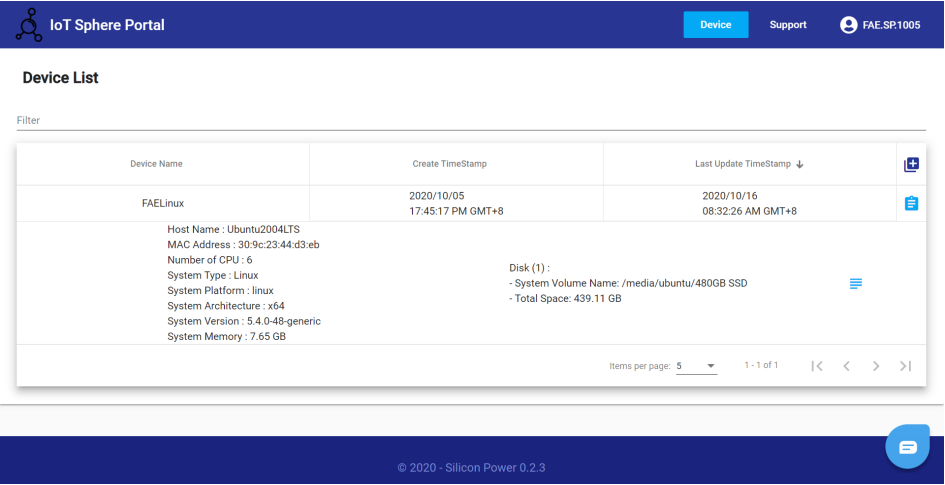
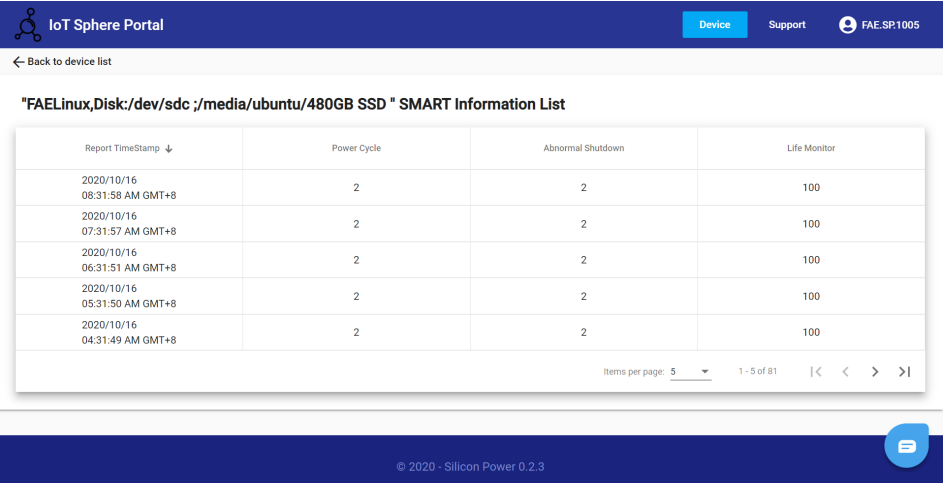
Figure 5 Realtime SMART Information display
......
If you are interested in this content, feel free to click the download button on the left.